· Prakash Natarajan · AI · 3 min read
Levels of AI Agent in Customer Support
Understanding customer support AI not as a single solution, but as a hierarchy of levels—from traditional human-only support to fully autonomous agents.
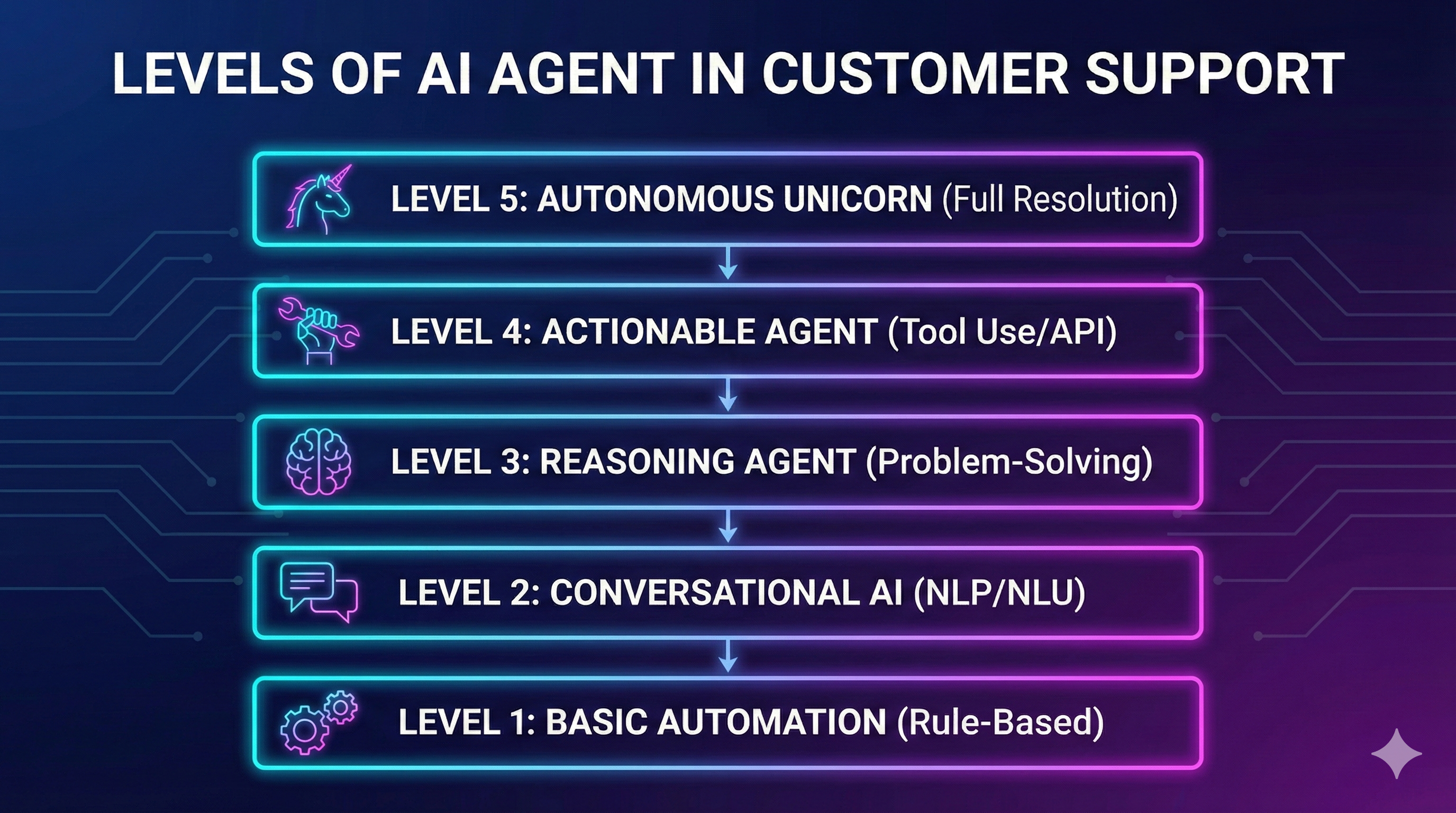
Customer support AI is not a single solution, but rather a hierarchy of levels. Understanding where your organization sits on this spectrum—and where you want to be—is crucial for making the right technology choices.
The Six Levels of AI in Customer Support
Level 1: Human-Only Support
The traditional approach. Every customer query is handled by a human agent. While this provides the highest quality of personalized service, it’s expensive to scale and limited by agent availability.
Characteristics:
- 100% human involvement
- High quality but limited scalability
- Expensive to grow
Level 2: Basic Automation
Simple rule-based automation kicks in. Think auto-responders, basic FAQs, and templated responses. The AI here is minimal—mostly pattern matching and keyword detection.
Characteristics:
- Simple if/then rules
- Keyword-based routing
- Limited understanding of context
Level 3: Language Model Prompting
This is where modern LLMs enter the picture. Using carefully crafted prompts, AI can understand and respond to a wider variety of questions. However, responses are generated without real-time data access.
Characteristics:
- Natural language understanding
- More flexible responses
- Limited to training data
Level 4: Retrieval-Augmented Generation (RAG)
The AI now has access to your knowledge base. When a customer asks a question, the system retrieves relevant documentation and uses it to generate accurate, contextual responses.
Characteristics:
- Access to company documentation
- More accurate, grounded responses
- Can stay up-to-date with knowledge base
Level 5: Real-Time Data Integration
Beyond static documentation, the AI can now access live data—order status, account information, system health. This enables truly personalized support without human intervention.
Characteristics:
- Live data access
- Personalized responses
- Can handle account-specific queries
Level 6: Workflow Automation
The AI can not only answer questions but take actions. Cancel an order, update preferences, escalate to the right team with full context. This is where AI becomes a true agent, not just a responder.
Characteristics:
- Can take actions on behalf of customers
- Automated escalation with context
- Integration with business systems
The Theoretical Level 7: Full Autonomy
A fully autonomous agent that handles everything without human oversight. While theoretically possible, this remains impractical for most use cases due to:
- Control requirements: Organizations need oversight
- Security needs: Sensitive operations require human approval
- Output predictability: AI can still make mistakes
Choosing Your Level
The right level depends on several factors:
- Control requirements: How much oversight do you need?
- Security needs: What data and actions are involved?
- Volume and complexity: What’s your ticket mix?
- Resources: What can you invest in implementation?
Most teams do not need to chase full autonomy to see a real gain. A well-run Level 1-2 setup, where routing and triage are handled consistently and every handoff keeps its context, already removes most of the busywork that slows a team down, without any of the risk that comes with letting a model act unsupervised on customer accounts.
The Human Element Remains Essential
Despite advances in AI, human involvement remains essential in current applications. Automation should augment your team, not replace it. The goal is to free your human agents to focus on complex, high-value interactions while the tooling handles routing and context, not the judgment calls.
This is exactly why SupportUnicorn is built around triage, not autonomous resolution: it turns client conversations already happening in shared Slack Connect channels into one queue with ownership, open/closed state, threading, and search, so a real person always owns the judgment call with the full thread already in front of them.
Prakash Natarajan is the founder of SupportUnicorn, a Slack Connect triage tool for customer support teams.