· Prakash Natarajan · AI · 15 min read
Slack for Customer Support: When It Breaks
How to use Slack for customer support without losing messages: real setup steps, honest limits, and the point where a shared channel needs more structure.
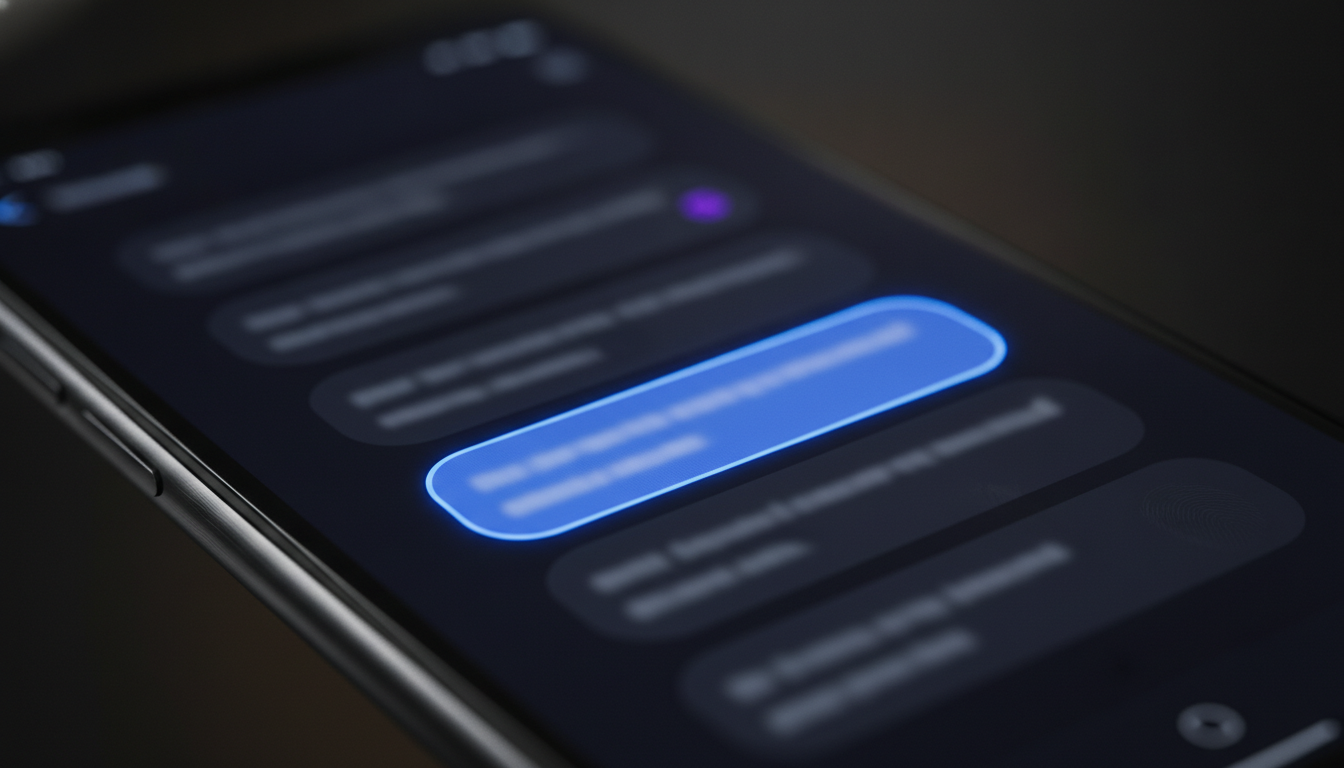
The short version: create a dedicated Slack Connect channel per client, keep every reply inside its thread instead of the main channel, and assign one clear owner to each open conversation so nothing sits unanswered. That covers what Slack does well on its own. Where it falls apart is scale: past a handful of channels, a busy Slack workspace has no way to mark a conversation as closed, no way to search across every client channel at once, and no way to tell at a glance who is supposed to be answering a given message. Plain Slack is a real, workable support channel for a small team with a handful of clients. It stops being enough well before most teams notice, and the gap shows up as a missed message, not a warning.
How Do You Actually Set Up Slack for Customer Support?
Start with one Slack Connect channel per client rather than a single shared channel for everyone. A single channel might feel simpler on day one, but it means every client sees every other client’s messages scroll past, which is a trust problem the moment two customers are in it at once. Slack Connect channels solve this because each one is a private, two-way space between your workspace and theirs, so a client only ever sees their own conversation.
Name channels the same way every time, something like a client’s company name with a short prefix, so anyone on your team can find the right one without asking. Assign an owner to each channel before the first message ever lands in it, not after a conversation has already gone unanswered for a day. That owner doesn’t have to be the only person who replies, but they’re the one accountable for making sure nothing in that channel goes quiet. Keep replies inside threads rather than posting new top-level messages every time, because a thread keeps the full back and forth attached to the original question, which matters the moment someone new needs to catch up on what’s already been said.
Turn on notifications for the specific channels that matter rather than relying on Slack’s default settings, since the default can bury an external client message among dozens of internal ones. A simple welcome message when a channel opens, one that tells the client roughly how fast they can expect a reply and who they’re talking to, sets expectations before anything goes wrong. None of this requires a plugin or a paid add-on, just deciding on the pattern before the first client channel exists and sticking to it as the fifth, tenth, and twentieth get added.
Decide up front what doesn’t stay in Slack, too. A billing dispute, a security concern, or anything that needs a paper trail belongs somewhere with more structure than a chat thread, and the moment you spot one of those, move it out rather than trying to resolve it in the same channel a routine question just came through. That handoff works far better when the team already has a process for what travels with it, who owns it next, and when it counts as too old to still be sitting untouched. We’ve covered that handoff in more depth in our piece on keeping context intact during a support escalation, including the specific triggers worth writing down instead of leaving to judgment in the moment.
What Does Plain Slack Handle Well?
Plain Slack is genuinely good at the first mile of support: speed and familiarity. A client typing a question into a channel they already have open gets a faster response than one filling out a support form and waiting for an email reply, and your team is already living in Slack all day, so there’s no second tool to check. Threading keeps a single conversation coherent even when a few different topics come up in the same channel over a week, and Slack’s built-in search works fine for finding a specific message inside one channel you already know to look in.
For a team with a small number of active client channels, maybe five to eight, this is often genuinely enough. Someone posts, someone replies, the thread stays readable, and everyone involved can see at a glance whether the conversation is still open. The honest strength of Slack here isn’t some clever feature. It’s that support happens inside a tool your team already uses well, instead of forcing everyone to split their attention between a chat app and a separate ticketing system for every single client interaction.
Where Does Plain Slack Actually Break Down?
The failure mode is almost never dramatic. It’s a message that arrives at 4 in the afternoon, gets six new messages stacked on top of it in other channels by 5, and never gets a reply because nobody happened to be looking at that particular channel when it came in. Slack has no concept of an open or closed conversation. A thread that got answered three days ago looks exactly the same in the channel list as one that’s been sitting untouched since this morning, and the only way to tell the difference is to open every channel and check.

Ownership has the same problem. Anyone in a shared channel can reply, which sounds flexible until two teammates both start typing a response to the same message because neither one saw the other was already handling it, or worse, both assume someone else has it and neither replies at all. There’s no way to claim a conversation the way you’d assign a ticket, so accountability depends entirely on people remembering what they already answered, which stops being reliable somewhere around the tenth channel.
Search is the other quiet failure. Slack searches within a channel well, but a client asking “didn’t we already talk about this a few months ago” means checking that specific channel and hoping you remember which one, since there’s no single place to search a client’s full history across every channel they’ve ever used. Add the free plan’s 90-day message history limit, verified on Slack’s own pricing page, and anything older than three months is gone entirely on that tier. None of this is a knock on Slack; it was built for internal conversation, and these gaps are a direct result of that.
Can Slack’s Own Tools Cover Self-Serve First?
Before reaching for any outside tool, it’s worth squeezing what Slack already gives you for free. A single pinned canvas or bookmarked message at the top of each client channel, listing the two or three questions that come up constantly (how to reset a password, where the API docs live, how billing works), answers a real share of incoming messages before anyone has to type a reply. It’s not a knowledge base and it doesn’t route anything automatically, just a static doc a client can check themselves.
The limit shows up fast, though. A pinned canvas has no idea which client actually read it, doesn’t update itself when an answer changes, and does nothing for the message that doesn’t match one of the two or three questions it covers. It’s a genuinely useful first layer, worth doing regardless of what else a team adds later, but it’s not a substitute for ownership or a closed state once channel count grows.
How Many Client Channels Before You Need More Structure?
There’s no single magic number, but the pattern shows up consistently around the same range for most teams: somewhere between eight and fifteen active client channels, or once a team is fielding more than roughly two or three missed-message incidents a week. Below that, one attentive person can genuinely hold the whole picture in their head. Above it, the math stops working, because checking every channel manually for anything unanswered takes longer than the response time you’re trying to protect.
A useful test costs nothing and takes ten minutes: pick a random Tuesday afternoon, open every active client channel one at a time, and time how long it takes to confirm which ones have an unanswered message sitting in them. If that check takes under five minutes and turns up nothing surprising, plain Slack is still doing its job. If it takes twenty minutes, or if it turns up a message from two days ago nobody noticed, that’s the actual signal, not a guess about headcount or channel count. Teams tend to wait for a client complaint before treating this as urgent, but the missed message that triggers the complaint usually happened weeks before anyone noticed the pattern.
What Does It Cost to Add Structure on Top of Slack?
Slack itself isn’t free once you need more than 90 days of message history. Slack’s Pro plan runs 8.75 dollars per user per month billed monthly, or 7.25 dollars per user per month billed annually, and its Business+ plan runs 18 dollars per user per month billed monthly, or 15 dollars annually, mostly for identity management and compliance exports rather than anything support-specific. None of those tiers add ownership, closed states, or cross-channel search, and that’s before adding anything for the gaps this piece has already covered. Most of the write-ups on turning Slack into a support tool skip pricing entirely, which makes it hard to know what you’re actually signing up for before you commit a team’s workflow to it.

SupportUnicorn adds that missing layer directly on top of Slack Connect for 49 dollars a month per connected workspace, a flat rate with no per-seat fee and no free tier to graduate out of later. Every incoming message in a connected channel gets caught and queued automatically, you can assign a conversation to a person so everyone else can see it’s covered, mark it closed once it’s actually handled, and search a past conversation by client name, channel, or keyword instead of hunting through channels one at a time. It doesn’t add a ticket queue, an SLA engine, or a workflow builder, so your team keeps working inside Slack rather than opening a new tab to live in. If what you actually need is a full ticketing system with SLA automation, that’s a different, heavier tool, worth knowing upfront rather than discovering after the migration. That’s also a separate question from adding a chatbot or fuller AI agent on top of the queue later; we’ve laid out the actual difference between those two for teams weighing that decision once ownership and structure are solid.
What Should You Track to Know It’s Working?
Three numbers tell you almost everything: how many messages get a first reply within your target window, how many conversations get marked closed versus how many just quietly go silent, and how often a client has to ask “did anyone see my last message” before getting a response. That last one rarely shows up in a dashboard, but it’s the single clearest sign that ownership and closed-state tracking are missing, because a client only asks that question when the system genuinely gave them no way to tell.

Track these weekly rather than glancing at them once and assuming they’ll hold steady, because the whole reason plain Slack breaks down is that channel count and message volume creep up gradually, not all at once. A team that checks its first-response and missed-message numbers monthly usually catches the problem a full quarter after a client already noticed it. Checking weekly costs a few minutes and catches the drift while it’s still small enough to fix with a conversation rather than an apology.
Keep Slack, but Add the Layer It’s Missing
None of this is an argument for abandoning Slack. The honest case is the opposite: Slack is where your clients already are and where your team already works well, and the fix for its gaps doesn’t require ripping any of that out. What it needs is the layer Slack was never built to provide on its own, ownership that’s visible at a glance, a closed state that actually means something, and search that spans every client channel instead of just the one you happen to have open.
If you’re already running client support in shared Slack channels and starting to feel the strain this piece describes, connect your Slack workspace and see how the queue looks once every conversation has an owner and a state. The setup takes minutes, not a migration project, because it’s designed to sit on top of what your team is already doing, not replace it. And if ownership and structure are already solid and the next question is whether to layer any kind of automation on top, that’s a maturity question worth answering deliberately rather than by default, one we’ve mapped out in our breakdown of the stages of AI maturity in customer support.
Frequently Asked Questions

Can you use Slack for customer support without any other tool?
Yes, for a small number of client channels. The limits show up as the count grows: no closed state, no ownership marker, and search limited to one channel at a time. A team with five or six active channels can usually run this way indefinitely; a team with twenty rarely can, not because Slack changed, but because the manual checking that made it work stops scaling.
What is Slack Connect and do I need it for customer support?
Slack Connect is Slack’s feature for creating a shared channel between your workspace and an external organization or person, so you and a client can message each other without either side inviting the other into their full workspace. It’s the right foundation for support conversations because each client only sees their own channel, not anyone else’s. You don’t strictly need it to talk to customers in Slack, but without it you’re either inviting clients as guests into your main workspace or improvising with email forwards, both messier than a dedicated Connect channel.
Is Slack’s free plan enough for customer support?
It can work for a very small volume of conversations, but the free plan’s 90-day message history limit means anything older simply disappears, which matters the moment a client references something from four months ago. Paid Slack plans remove that limit, but neither the free nor paid tiers add ownership, closed states, or cross-channel search. Those gaps exist regardless of which Slack plan you’re on.
How do you stop support messages getting lost in a busy Slack channel?
The most reliable fix is making ownership and status visible without anyone having to remember it manually, whether that’s a disciplined habit of one owner per channel plus a manual “handled” note, or a layer like SupportUnicorn that queues every incoming message automatically and lets you mark it closed once it’s actually handled. The habit-based version works until the team gets busy enough that habits slip, which is exactly when messages start getting missed.
Does Slack have built-in SLA tracking?
It doesn’t, and that gap surprises a lot of teams the first time they go looking for it. Slack shows you a conversation exists and lets you reply, but it has no concept of a response-time target, no alert when one is at risk, and no report on how you’re doing against one. Teams that need SLA tracking build it manually with a spreadsheet or bring in a separate tool, since it isn’t something Slack itself offers on any plan.
Should every client get their own Slack channel?
For most B2B support relationships, yes. A dedicated channel per client keeps their conversation private from other clients and makes ownership and history far easier to track than a single shared channel handling everyone at once. The exception is a very small number of extremely low-volume clients, where a shared general channel might be a reasonable starting point, though it’s usually worth splitting out into dedicated channels well before that becomes the norm.
What’s the difference between a shared Slack channel and Slack Connect?
A shared channel that lives entirely inside your own workspace still requires inviting each client in as a guest, which means managing their access, permissions, and eventual removal manually inside your team’s workspace. Slack Connect instead links a channel between two separate workspaces, yours and the client’s, so each side manages its own users and the client never sees anything beyond that one shared channel. For any support relationship with an external company, Slack Connect is the cleaner, more secure default.
Can Slack replace a full helpdesk like Zendesk?
For a small number of client channels handled by a small team, often yes, at least for a while. Where it can’t compete is anything a dedicated helpdesk is actually built for: SLA automation with breach alerts, a customer-facing ticket portal, detailed reporting across agents and queues, or routing rules based on ticket type. Teams that need those specific capabilities are usually better off with a real helpdesk from the start rather than trying to bolt the equivalent onto Slack by hand.
What’s the difference between a Slack ticketing system and just adding a triage layer?
A Slack ticketing system like Pylon, ClearFeed, or Thena adds SLA timers, routing rules, and usually an AI agent that tries to route or resolve conversations, priced per seat and built to replace a full helpdesk. A triage layer is a narrower fix: ownership, an open or closed state, and search across the channels you already run, without the SLA engine or the AI resolution layer. We’ve broken down exactly when a full Slack ticketing system is worth it versus when triage alone is enough.