Slack Connect Pricing
Slack Connect Pricing: What Slack's Own Page Won't Tell You About Running Support There
Slack doesn't bill Slack Connect separately. It's bundled into Pro at $8.75 a user a month, or Business+ at $18, and the real cost scales with every seat added to the plan required to open it up. What that price buys is the channel itself, not an owner assigned to each conversation, a closed state once it's resolved, or a way to search across every client's history at once. If client support already happens inside those channels, SupportUnicorn adds that missing layer for a flat $49 a month per workspace, on top of whatever Slack already costs.

The Real Numbers
How Much Does Slack Connect Actually Cost?
Slack Connect costs whatever your existing Slack plan costs, because Slack doesn't sell it as a separate product or add a line item for it anywhere on the invoice. Access to group and shared Slack Connect channels comes bundled into Slack's paid tiers, checked live against Slack's own pricing page as of September 2026, and the plan a team already pays for determines whether it gets that access at all.
The Free plan's version of Slack Connect only covers 1:1 direct messages with someone outside the organization, useful for a quick one-off conversation but not built for an ongoing client relationship in a shared channel. Pro is the first tier that opens up group Slack Connect channels, priced at $8.75 a user a month billed monthly, or $7.25 a user a month billed annually, and it supports connecting with up to 250 external organizations. Business+ sits above it at $18 a user a month billed monthly, or $15 billed annually, with the same 250-organization Connect limit but more admin controls, security features, and Slack's AI tools layered on top. Enterprise+ has no published price and requires contacting sales directly, though it carries one real advantage for Connect specifically: an external partner on Slack's own Free plan can join an Enterprise+ team's channel without upgrading, where every other tier only grants that same partner a 90-day trial of Pro before their own organization needs a paid plan to keep the channel open.
Slack was also running a limited-time, three-month discount on both Pro and Business+ at the time this page was checked, worth confirming directly since promotional pricing like that tends to change without much notice. What doesn't change is how the real bill scales. A 5-person team on Pro billed annually pays $36.25 a month for Slack itself, and the same team on Business+ billed annually pays $75. A 10-person team on Business+ billed annually pays $150 a month, before a single ticket has been triaged, an owner assigned, or a conversation marked resolved. None of that is Slack Connect's price on its own. It's the price of the plan required to open it up, multiplied by however many people need a seat.
One distinction worth clearing up while comparing tiers: Slack Connect and a multi-channel guest account are not the same feature, even though people searching for either one often land on the same results. A guest account adds one external person to specific channels inside your own workspace, billed and managed like a limited internal user. Slack Connect works the other way, letting your workspace and an external organization's separate workspace share a channel without either side joining the other's Slack instance. A support team inviting a client into an ongoing conversation almost always wants Slack Connect, not a guest seat, since a guest account still requires the client to operate inside your workspace rather than their own.
Free gets you 1:1 only
No cost, but Slack Connect on the Free plan covers direct messages to people outside your org, not group or shared channels.
Pro opens up shared channels
$8.75 a user a month billed monthly, $7.25 billed annually, with Slack Connect group channels for up to 250 organizations.
Business+ adds more admin and AI
$18 a user a month billed monthly, $15 billed annually, the same 250-org Connect limit plus advanced security and AI features.

The Missing Layer
What Does Slack Connect's Price Leave Out?
Paying for Slack Connect buys a team the channel itself and nothing past it. Once a workspace is on a plan that opens up group Slack Connect channels, any external organization can be invited into a shared channel and start messaging directly, no email thread, no separate portal. What that subscription doesn't add is anything resembling a support process once the messages start arriving. Slack has no concept of an owner assigned to a conversation, no open or closed state a team can mark once something is actually resolved, and no way to search across every connected channel at once when a client asks about something from three months ago.
A concrete version of that gap shows up constantly: a client asks, three days after sending a message into a shared channel, whether anyone actually saw it. In plain Slack, answering that means scrolling back through the channel by hand, since nothing marks the message as seen, assigned, or still waiting on a reply. Multiply that across a dozen client channels, and the search itself becomes the daily bottleneck, not the conversations.
Slack's own pricing and Connect pages walk through the per-seat math and the admin controls each tier opens up in real detail, and general Slack pricing guides elsewhere online cover negotiation tactics and contract terms in even more depth. None of that content addresses what it actually costs, in practice, to run support once a shared channel is open, because that part isn't a pricing question Slack is answering at all. It's an operational gap, and it shows up fastest once a team is managing more than a handful of client channels at once. We've covered where plain Slack breaks down as a support channel in more detail elsewhere, and it's the exact gap a dedicated triage layer exists to close.
Here's how the real, verified numbers compare, Slack's own bill next to a flat layer added on top of it.

Real Numbers
Slack Connect Cost vs. a Flat Triage Layer, By the Actual Price
Slack Free
$0
Slack Connect limited to 1:1 external messages, no group or shared channels
Slack Pro
$7.25/user/mo
$8.75/user/mo billed monthly; opens up Slack Connect group channels, up to 250 organizations
Slack Business+
$15/user/mo
$18/user/mo billed monthly; same 250-org Connect limit, plus advanced admin, security, and AI
Slack Enterprise+
Custom
Contact sales; only tier where free-plan external partners join without a 90-day trial
SupportUnicorn
$49/mo flat
Per connected Slack workspace, any team size, published on the pricing page
A 10-person team on Business+ billed annually pays $150 a month for Slack alone. Adding SupportUnicorn brings the total to $199 a month, and that flat $49 share shrinks as a proportion of the total bill as headcount grows, since it never moves regardless of team size. SupportUnicorn's own pricing page has the full breakdown, with no hidden per-seat math to work through.
The Fit Check
Is Slack Connect's Price Alone Enough to Run Support?
For a handful of client channels, plain Slack Connect is genuinely enough. A team with two or three active accounts can eyeball each channel, remember who's handling what, and keep up without any extra tooling. The Pro plan's price covers that scenario comfortably, and there's no reason to add anything on top of it at that scale.
A team running twenty client channels lives a different reality. At any given moment, several conversations are waiting on a reply, a few are already resolved but still show as unread, and figuring out which is which takes real, repeated effort with no shortcut anywhere inside Slack itself.
The strain shows up predictably once the channel count grows past what one person can hold in their head, usually somewhere around ten to fifteen active client channels. Nothing in Slack itself marks a message as handled or unhandled, so checking each channel by eye stops being realistic, and a client message can sit unanswered for a day without anyone on the team noticing it arrived. That's the exact point where the bill for Slack Connect keeps climbing with every new hire, while the actual problem, catching every message and knowing who owns it, stays completely unsolved by the plan itself.
Our own breakdown of when a Slack ticketing system makes sense covers that threshold in more depth than a pricing page can. The short version: if a team is already paying for Slack Connect and the channel count keeps growing, the next dollar is better spent on a flat triage layer than on additional seats for a plan that was never built to track ownership in the first place.

How It Works
How SupportUnicorn Adds Triage on Top of What You're Already Paying For
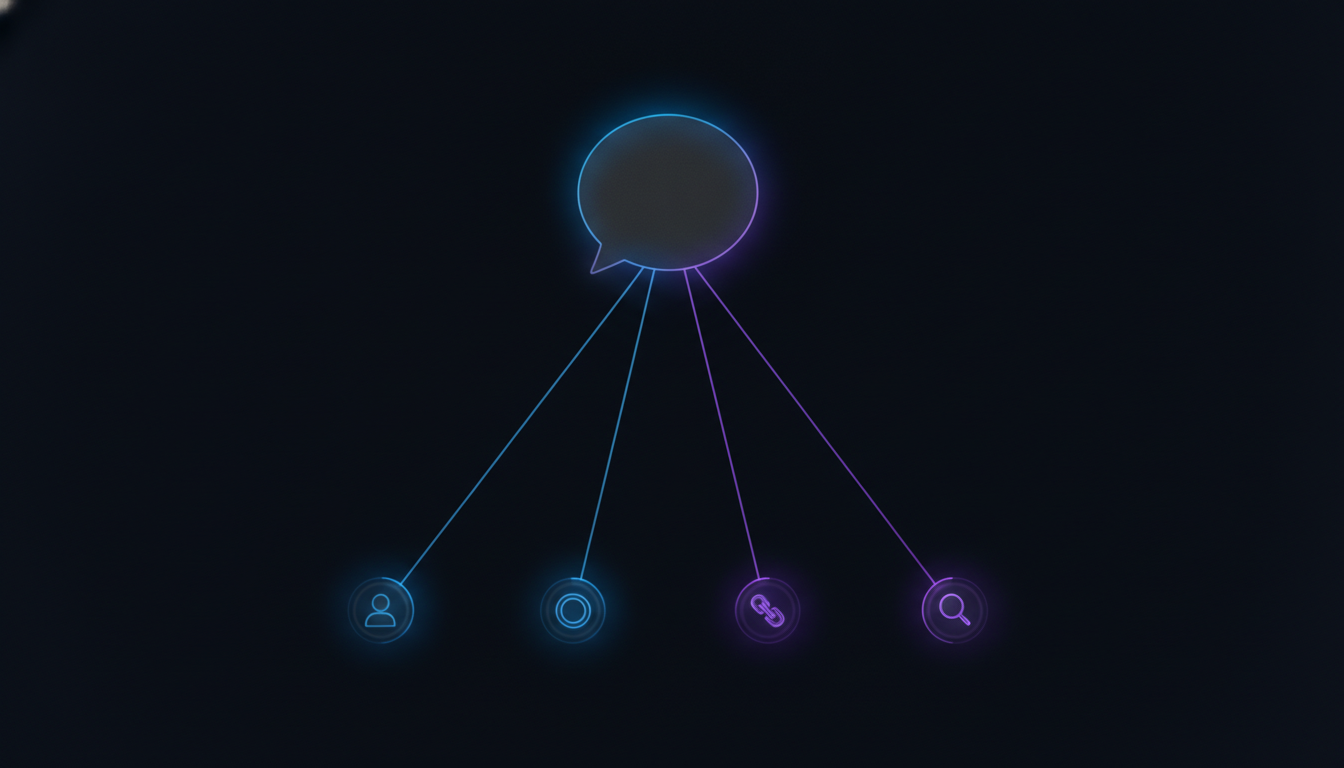
Triage
Every message sent into a connected Slack Connect channel gets caught and added to the queue the moment it arrives, whether or not a teammate happens to have that channel open right now.
Ownership
One person gets assigned to a conversation, so nobody has to scroll back through a channel wondering whether a message already has someone on it.
Open and closed
A conversation gets marked closed once it's actually resolved, so the open list stays a real, current picture instead of a channel nobody has fully read in a week.
Threading
Replies stay attached to the original conversation even inside a fast-moving channel, so context never splits across scrollback that has already moved on to five other topics.
Search
Any past conversation can be found by client, channel, or keyword, months later, without opening a dozen channels one at a time to track it down.
Being Honest About the Limits
What Doesn't a Flat Triage Layer Cover?
Two things get genuinely covered once a team pays for a Slack plan that opens up Connect and adds SupportUnicorn on top: the channel itself, and a real triage process running inside it. A few things stay outside both of those, worth naming plainly rather than glossing over.
SupportUnicorn doesn't resolve tickets automatically, and it isn't quietly building toward that either. Every message a client sends into a connected channel still reaches a real person on the team, triaged and assigned, never auto-closed by a bot standing in for one. That's a future layer on our own roadmap, not something live in the product today. It's also Slack-only, with a website chat widget as its only other inlet, so a team fielding real volume across email, WhatsApp, or an e-commerce storefront needs a broader platform instead, and no free tier exists at any price, so the $49 a month starts from the first connected workspace.
The honest fit is narrow on purpose: a support or customer success team whose clients already message them inside shared Slack Connect channels, needing ownership, a closed state, and search across those channels, not a full engagement platform. Our escalation matrix for Slack-based support covers what a real handoff to a bigger platform looks like once a team genuinely outgrows a Slack-only triage layer.

Frequently Asked Questions
Common Questions About Slack Connect Pricing
Straight answers to what a support lead usually wants to know before budgeting for Slack Connect and whatever runs on top of it.
Does Slack Connect cost extra on top of a Slack plan?
No, Slack doesn't sell Slack Connect as a separate product or add a line item for it anywhere on the bill. Access to group Slack Connect channels comes bundled into whichever paid plan a workspace already has, Pro, Business+, or Enterprise+, so the real cost of Slack Connect is simply the cost of the plan required to open it up, multiplied by however many people on the team need a seat.
Do external partners have to pay to use a Slack Connect channel?
Usually not right away, since a team on Enterprise+ can invite an external partner who joins from a free Slack account with no upgrade required. On every other paid tier, an invited external partner on a free account gets a 90-day trial of Slack Pro, after which their own organization needs a paid plan to keep the channel open. Either way, the inviting team's own paid seat is what actually opens up the channel.
How much does Slack Connect cost for a 5-person support team?
On Slack Pro, billed annually at $7.25 a user a month, a 5-person team pays $36.25 a month for Slack itself, or $43.75 a month billed monthly at $8.75 a user. On Business+, billed annually at $15 a user a month, the same team pays $75 a month, or $90 a month billed monthly at $18 a user. Adding SupportUnicorn on top costs a flat $49 a month regardless of which plan or team size, since its price never changes with headcount.
Does paying for Slack Connect give a team ticket ownership or search?
No, Slack Connect's price covers only the channel itself, the ability to message an external organization directly instead of over email. It doesn't add an owner to a conversation, a way to mark one closed, or a way to search across every connected channel at once. Those stay entirely manual in plain Slack, which is the gap a dedicated triage layer like SupportUnicorn is built to close.
Is there a limit on how many companies a workspace can connect through Slack Connect?
Slack's own documentation lists a limit of up to 250 connected organizations per workspace on Pro, Business+, and Enterprise+. The Free plan doesn't reach that limit in practice, since it only supports 1:1 direct messages with people outside the organization, not group or shared channels at all.
What's the cheapest way to run client support through Slack Connect channels?
Slack Pro billed annually is the least expensive plan that opens up group Slack Connect channels at all, at $7.25 a user a month. Past that, the cheapest way to actually run support inside those channels, rather than just having access to them, is a flat-priced triage layer instead of a per-agent helpdesk. SupportUnicorn adds that layer for $49 a month per workspace, a fixed add-on to whatever the Slack bill already comes to.
Does upgrading from Pro to Business+ change what Slack Connect costs to run?
Not in terms of Connect capacity. Business+ raises the price per user and adds admin controls, extended AI features, and stronger security options, but the Slack Connect limit itself stays the same 250 connected organizations on both tiers. A team upgrading purely to get more Slack Connect room would be paying more for the identical Connect limit; the upgrade only pays off when the added security or admin controls are the actual reason for it.
Is Slack Connect cheaper than a traditional per-agent helpdesk?
Usually yes, on the Slack side alone, since Pro's $7.25 a user a month undercuts most per-agent helpdesk pricing. That comparison only covers the channel itself, not ticket tracking, ownership, or search. Once a flat triage layer like SupportUnicorn gets added on top, the combined total often still lands below a per-agent helpdesk as headcount grows, since $49 a month stays fixed while most helpdesk tools keep billing per seat added.
Skip the Per-Agent Math on the Triage Layer, Too.
SupportUnicorn adds ownership, status, and search to your Slack Connect channels for $49 a month per workspace, flat, on top of whatever Slack already costs.