Zoho Desk Alternative
Need a Zoho Desk Alternative? Check Where Your Clients Actually Message You First
Most Zoho Desk alternative roundups point you toward Zendesk, Freshdesk, HubSpot Service Hub, or another per-agent helpdesk, and every one of them assumes your support tickets start life inside a ticketing system. Zoho Desk's own Slack integration never fixes that assumption either: it posts ticket notifications and slash-command lookups into an internal Slack channel for agents, it doesn't let a client's shared Slack Connect channel become a ticket on its own. If that's exactly where your support conversations already happen, SupportUnicorn turns those channels into one triaged queue for $49 a month per workspace, flat, with no per-agent pricing to track as the team grows. It won't replace Zoho Desk for a team running a public help center, email tickets, and phone support. For a team already living in Slack, it replaces the exact reason that team started shopping for a helpdesk in the first place.

The Problem
Why Are Teams Looking for a Zoho Desk Alternative?
Quick answer: most Zoho Desk alternative lists just point you toward another per-agent helpdesk in the same Zoho, Freshdesk, or Zendesk mold. If your support conversations already happen inside shared Slack Connect channels rather than an email ticket queue, none of those fix the actual gap; SupportUnicorn does, for a flat $49 a month per workspace regardless of team size.
Support teams start comparing Zoho Desk alternatives for a few concrete, recurring reasons, and the bill is usually the first one anyone notices once the team grows past a handful of people. Zoho Desk's own pricing page lists Standard at $14 an agent a month, Professional at $23 an agent a month, and Enterprise at $40 an agent a month, all billed annually, with an Express tier priced below Standard for the lightest workflows. A five-person team on Professional alone pays $115 a month, and the same team on Enterprise pays $200 a month, and that number climbs every time the team adds a sixth or seventh agent, whether or not those new hires are handling more conversations than the first five.
The free plan is worth naming honestly, because it's a real feature Zoho Desk offers that a lot of competitors don't. The Free Edition is free forever, not a time-limited trial, and it's genuinely usable for a very small team. It also caps out at exactly three agents and covers basic email ticketing only: no Slack integration, no social channels, no telephony, no multi-department routing. A team past three people, or one whose support conversations already live somewhere other than a shared email inbox, moves onto a paid tier the moment either limit gets hit.
The part that matters most for a Slack-first team rarely comes up in a roundup at all: Zoho Desk is built around a ticket that already exists inside its own system, not a live conversation happening somewhere else. Its shared inbox, self-service help center, and multi-department routing all assume a message became a ticket the moment it arrived, through email, a web form, or a chat widget Zoho Desk itself owns. A client's message sitting in a shared Slack Connect channel with your team is a different shape of problem entirely, and Zoho Desk, priced per agent for a full multi-channel platform, was never built to solve it directly.
Selection criteria differ by review site too, and it's worth noticing what each list is actually optimizing for before trusting the top pick. Some rank by feature count, some by a vendor's own onboarding checklist, and a few are written by a competing helpdesk's own marketing team. Almost none of them ask where a team's support conversations already happen before recommending another per-agent ticketing tool to replace the one you're leaving.
Per-agent pricing across four paid tiers
$14 to $40 an agent a month, billed annually, with no plan that charges by workspace instead.
A free plan capped at three agents
Zoho Desk Free Edition covers basic email ticketing only, with no Slack app and no social channels.
A ticketing platform built around a queue, not a channel
Zoho Desk assumes a ticket already exists; it doesn't turn a live Slack Connect message into one.

The Alternatives
What Do Popular Zoho Desk Alternatives Actually Offer?
The Zoho Desk alternative market is crowded, and most entries solve the same underlying problem Zoho Desk does, just with a different price tag or specialty attached. Zendesk and Freshdesk run a similar per-agent shared-inbox model, each with its own knowledge base and SLA tooling layered on top. HubSpot Service Hub bundles ticketing into a broader CRM suite. Kayako and LiveAgent round out the category with their own pricing structures aimed at multichannel support teams. We've covered how a Freshdesk alternative, a Zendesk alternative, a Help Scout alternative, a Front alternative, and an Intercom alternative stack up for a Slack-first team elsewhere on this site, and Zoho Desk sits in the same category as all five: a full ticketing platform, priced per agent, that a client never has to know exists as long as tickets keep arriving through the channels it already owns.
Zoho Desk's own Slack integration is worth checking directly rather than assuming, because it's easy to mistake a notification for a real integration. Zoho's product page for the integration describes it as a way to bring ticket updates and agent chats onto a single platform, bridge support departments to internal Slack channels for routing, and let agents retrieve ticket information with slash commands, all from inside Slack. Nowhere on that page does an external client's Slack Connect channel get converted into a ticket automatically. The integration keeps agents informed inside Slack about tickets Zoho Desk already knows about. It doesn't let a client's shared Slack Connect channel become the ticket source in the first place.
That's a meaningfully different product than a tool built to triage the Slack Connect channel itself, where a client's messages already are. Dedicated Slack-native support tools exist for that narrower job, and our own breakdown of when a Slack ticketing system makes sense covers that category in more depth than a pricing comparison page can.
Here's how the real numbers compare, verified against Zoho Desk's own pricing page as of August 2026:

Real Numbers
Zoho Desk vs. a Slack-Only Alternative, By the Actual Price
Zoho Desk Free Edition
$0/mo
Capped at 3 agents, email ticketing only, no Slack app
Zoho Desk Standard
$14/agent/mo
Billed annually, adds business messaging and a self-service help center
Zoho Desk Professional
$23/agent/mo
Billed annually, most popular tier, adds telephony and multi-department support
Zoho Desk Enterprise
$40/agent/mo
Billed annually, adds live chat, skill-based assignment, multi-brand help center
SupportUnicorn
$49/mo flat
Per connected Slack workspace, any team size
A five-person team on Zoho Desk Professional pays $115 a month, and $200 a month on Enterprise. The same five-person team on SupportUnicorn pays $49 a month, flat, whether it's five people or fifteen, because the price is tied to the connected Slack workspace, not the number of agents using it. A ten-person team makes the gap wider still: $230 a month on Professional, $400 a month on Enterprise, against the same flat $49.
The Fit Check
Is SupportUnicorn a Fit If Your Team Lives in Slack?
SupportUnicorn fits a specific, narrow situation: a support or customer success team whose clients already message them inside shared Slack Connect channels, plus a website chat widget as a secondary inlet, who need ownership, an open and closed state, threading, and search across those channels rather than a full ticketing platform. If that description matches your team, the fit check is short. If your customers reach you mainly through email, a contact form, or a public help center with no Slack relationship attached, SupportUnicorn won't help, and Zoho Desk or one of the alternatives from the table above is the right call instead.
The scenario SupportUnicorn is built for shows up most often at B2B companies with a handful to a few dozen active client accounts, each one live in its own Slack Connect channel. Past ten or fifteen channels, checking each one by eye for an unanswered message stops being realistic, and nothing in Slack itself marks a conversation as handled or shows who is supposed to be answering it. We've covered exactly where plain Slack breaks down as a support channel in more detail elsewhere, and it's the same gap SupportUnicorn closes: connect a workspace, and every message in a connected channel gets caught and queued automatically, with an owner assigned, a status of open or closed, and full-text search across every client's history.
The value case is narrower than Zoho Desk's, and it should be. A team isn't choosing SupportUnicorn instead of doing real evaluation work against Zoho Desk, Zendesk, or Freshdesk. It's choosing to add one thin layer on top of a channel it already trusts, rather than asking clients to learn a new ticket portal or email address they've never used before.
There's an honest flip side worth saying plainly. A team that receives support requests across email, a public contact form, and phone calls, with no Slack relationship in the mix, gains nothing from SupportUnicorn. Zoho Desk's shared inbox, self-service help center, and multi-department routing cover that spread in one place, and paying $49 a month for a Slack-only triage layer would just be a second tool with no problem left for it to solve. The fit check runs in both directions, not just one.

How It Works
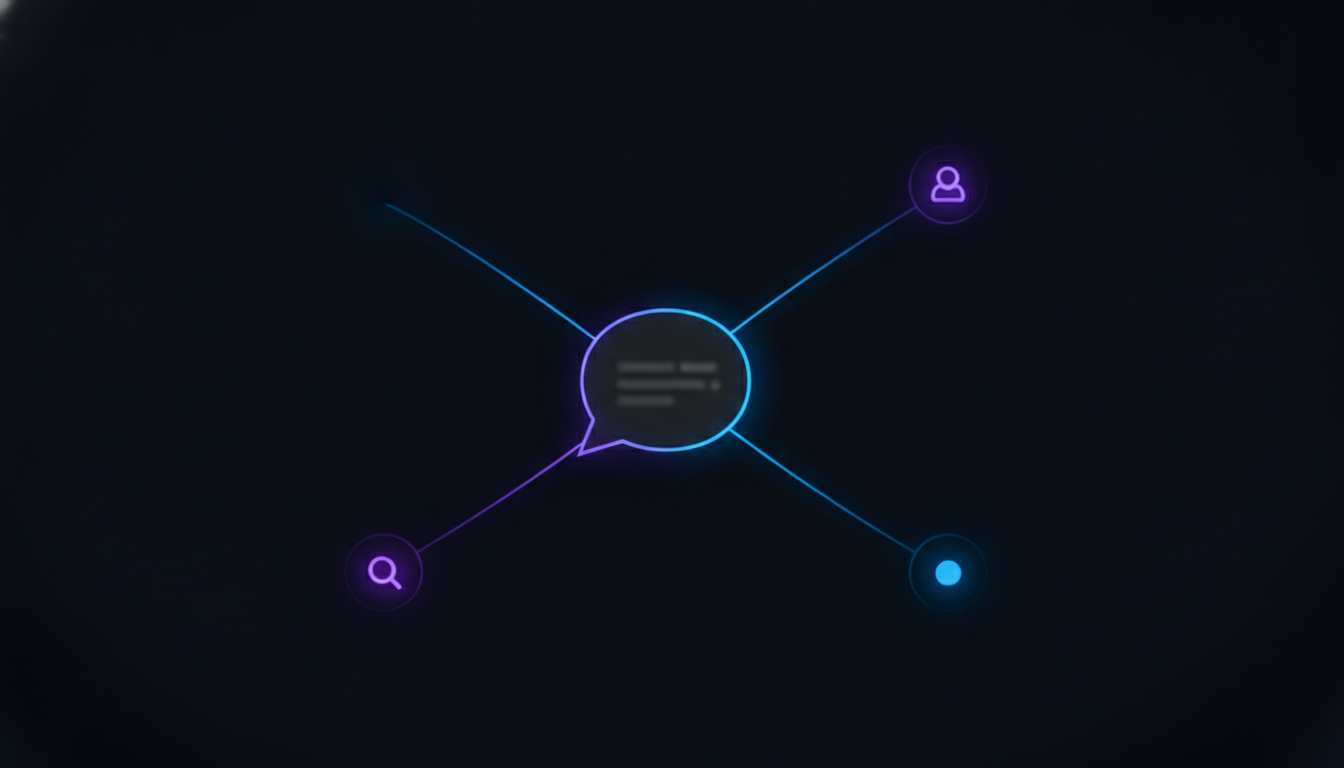
How SupportUnicorn Covers That Half of Zoho Desk
Triage
Every message sent into a connected Slack Connect channel gets caught and added to the queue the moment it arrives, whether or not a teammate happens to have that specific channel open right now.
Ownership
One person gets assigned to a conversation, so nobody has to scroll back through a channel wondering whether a message already has someone on it.
Open and closed
A conversation gets marked closed once it's actually resolved, so the open list stays a real, current picture instead of a channel nobody has fully read in a week.
Threading
Replies stay attached to the original conversation even inside a fast-moving channel, so context never splits across scrollback that has already moved on to five other topics.
Search
Any past conversation can be found by client, channel, or keyword, months later, without opening a dozen channels one at a time to track it down.
Being Honest About the Limits
What Doesn't SupportUnicorn Replace From Zoho Desk?
SupportUnicorn doesn't add a shared email inbox, a customer-facing help center, or telephony support, and it won't replace Zoho Desk for a team that genuinely needs those things. If support requests arrive by email, a contact form, or a phone line with no Slack relationship attached, Zoho Desk or a similar ticketing platform still has to own that side of the operation, because SupportUnicorn is Slack-only today, with a website chat widget as its only other inlet.
There's no self-serve article library, no multi-department routing tuned for a large multi-agent roster, and no skill-based assignment for matching a conversation to the right specialist. A support operation running dozens of agents across email, chat, and phone with formal SLA commitments needs the routing and reporting that a platform like Zoho Desk's Professional or Enterprise tier builds specifically for that scale. SupportUnicorn isn't trying to grow into that role, and our escalation matrix for Slack-based support covers what a real handoff to that kind of platform actually looks like once a team outgrows a triage layer.
The same honesty applies to AI. SupportUnicorn doesn't resolve or auto-answer customer messages today, unlike Zoho Desk's Zia AI features on its higher tiers. Every message a client sends into a connected Slack Connect channel still reaches a real person on the team, triaged and assigned, never auto-closed by a bot standing in for one. Pushing a SupportUnicorn conversation into Zoho Desk, Zendesk, Jira, monday.com, or Salesforce is on the roadmap and not part of the product today, so a team that wants that handoff to work should wait rather than connect a workspace expecting it right now.
Migration is the other thing worth thinking through honestly. SupportUnicorn doesn't import a Zoho Desk ticket archive, and most teams don't need it to, since it only starts tracking conversations from the moment a Slack workspace connects. A team that needs to keep browsing old Zoho Desk tickets for compliance or reference can leave that account active on the Free Edition or a lower-tier plan rather than canceling it outright, even after moving day-to-day Slack Connect support over to SupportUnicorn.
Frequently Asked Questions
Common Questions About Zoho Desk Alternatives
Straight answers to what a support lead usually wants to know before ruling SupportUnicorn in or out as a real Zoho Desk alternative.

What's the real difference between Zoho Desk and SupportUnicorn?
Zoho Desk is a full multi-channel helpdesk built around email, social, web forms, and telephony, priced per agent across four tiers. SupportUnicorn does one thing instead: it turns the client conversations already happening in shared Slack Connect channels into a triaged queue, with ownership, an open and closed state, threading, and search, without trying to become a multi-channel ticketing platform.
How much does SupportUnicorn cost compared to Zoho Desk?
SupportUnicorn costs $49 a month per connected Slack workspace, flat, regardless of team size. Zoho Desk's own pricing page lists Standard at $14 an agent a month, Professional at $23 an agent a month, and Enterprise at $40 an agent a month, all billed annually, so a five-person team on Professional alone pays $115 a month, and the same team on Enterprise pays $200 a month, against $49 a month flat on SupportUnicorn.
Does Zoho Desk actually support Slack Connect channels?
No, and this is the detail most Zoho Desk alternative roundups skip entirely. Zoho's own product page for the integration describes it as a way to bring ticket notifications and slash-command lookups into an internal Slack channel for agents, not a way for an external client's Slack Connect channel to become a ticket on its own. It keeps agents informed inside Slack about tickets Zoho Desk already knows about. SupportUnicorn is built for exactly the situation Zoho's integration skips.
Is Zoho Desk actually free?
Zoho Desk's Free Edition is real, not a time-limited trial, but it caps out at three agents and covers basic email ticketing only, with no Slack integration, no social channels, and no telephony. A team past three agents, or one whose support already lives in Slack rather than email, moves onto a paid tier immediately. SupportUnicorn doesn't have an equivalent free plan; it costs $49 a month per connected Slack workspace from the first day.
Is there a free trial for SupportUnicorn?
No. SupportUnicorn costs $49 a month per connected Slack workspace, flat, with no free trial and no per-agent fee. Zoho Desk offers a 15-day free trial on its paid tiers with no credit card required, then automatically drops an account back to the Free Edition if nobody upgrades before the trial ends.
What happens once a team outgrows a simple Slack triage layer?
The honest signal is needing a customer-facing help center, telephony, multi-department routing, or skill-based assignment across a large agent roster, none of which SupportUnicorn tries to be. At that point, a full platform like Zoho Desk is the better fit, and knowing that before committing beats discovering it mid-migration. Our escalation matrix for Slack-based support covers what that handoff should look like in practice.
Is SupportUnicorn a real Zoho Desk alternative, or just a Slack add-on?
It depends on where a team's support conversations actually happen. SupportUnicorn won't replace Zoho Desk for a team running a public help center, an email ticket queue, and multi-department routing across a large agent roster. For a team whose client support genuinely lives in shared Slack Connect channels today, SupportUnicorn replaces the exact reason that team went looking for a helpdesk in the first place: no visible ownership, no closed state, and no way to search across every client conversation at once.
Do we need to migrate old Zoho Desk tickets to switch?
No, SupportUnicorn doesn't import a Zoho Desk ticket archive, and most teams don't need it to. It only starts tracking conversations from the moment a Slack workspace connects, so a team that needs to keep browsing old Zoho Desk tickets for compliance or reference can leave that account active on the Free Edition or a lower-tier plan while running day-to-day Slack Connect support through SupportUnicorn instead.
Skip the Per-Agent Math. See the Real Price.
SupportUnicorn triages your Slack Connect channels for $49 a month per workspace, flat. No per-agent fees, no three-agent cap to watch, no plan to outgrow as the team gets bigger.